
A cellar, properly kept.
Cellar Schematic is the app for collectors who take their wine — and their privacy — seriously.
The essentials
Built around how you actually keep your cellar
Every bottle in your cellar arrived through your judgement. Logging it shouldn’t take more than a moment. Cellar Schematic can read the label, identify the wine, and file it where it belongs.
Scan
Scan
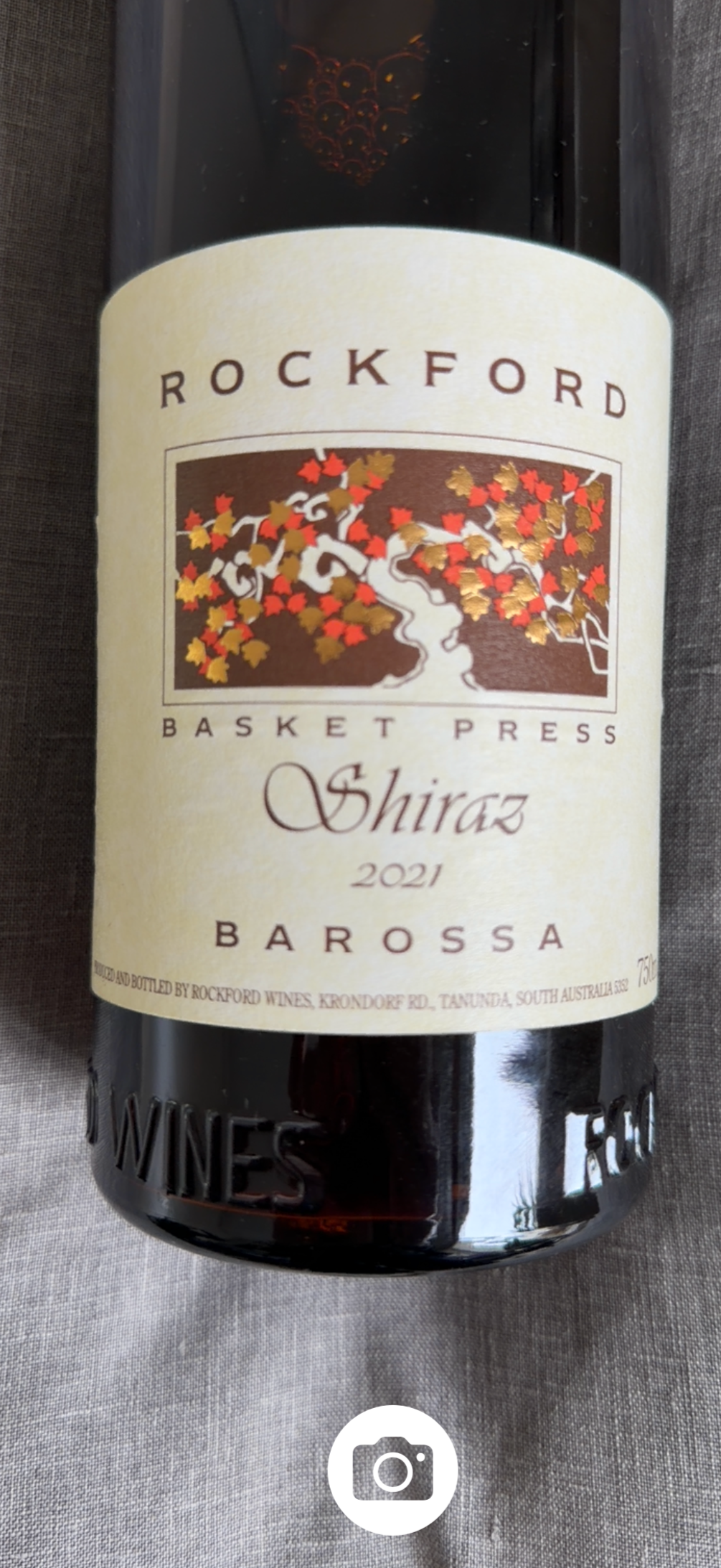
Frame the label and tap. If you've connected AI in Settings, the app fills in producer, vintage, region, and varietal automatically — review, edit, save.
Or type it in — no bottle required
For wine delivered straight to storage or bought en primeur: tap + and type the producer, wine and vintage. With AI connected that's enough — it completes the rest, and can even find the label image for your approval. Every field stays editable either way.
Refine & save
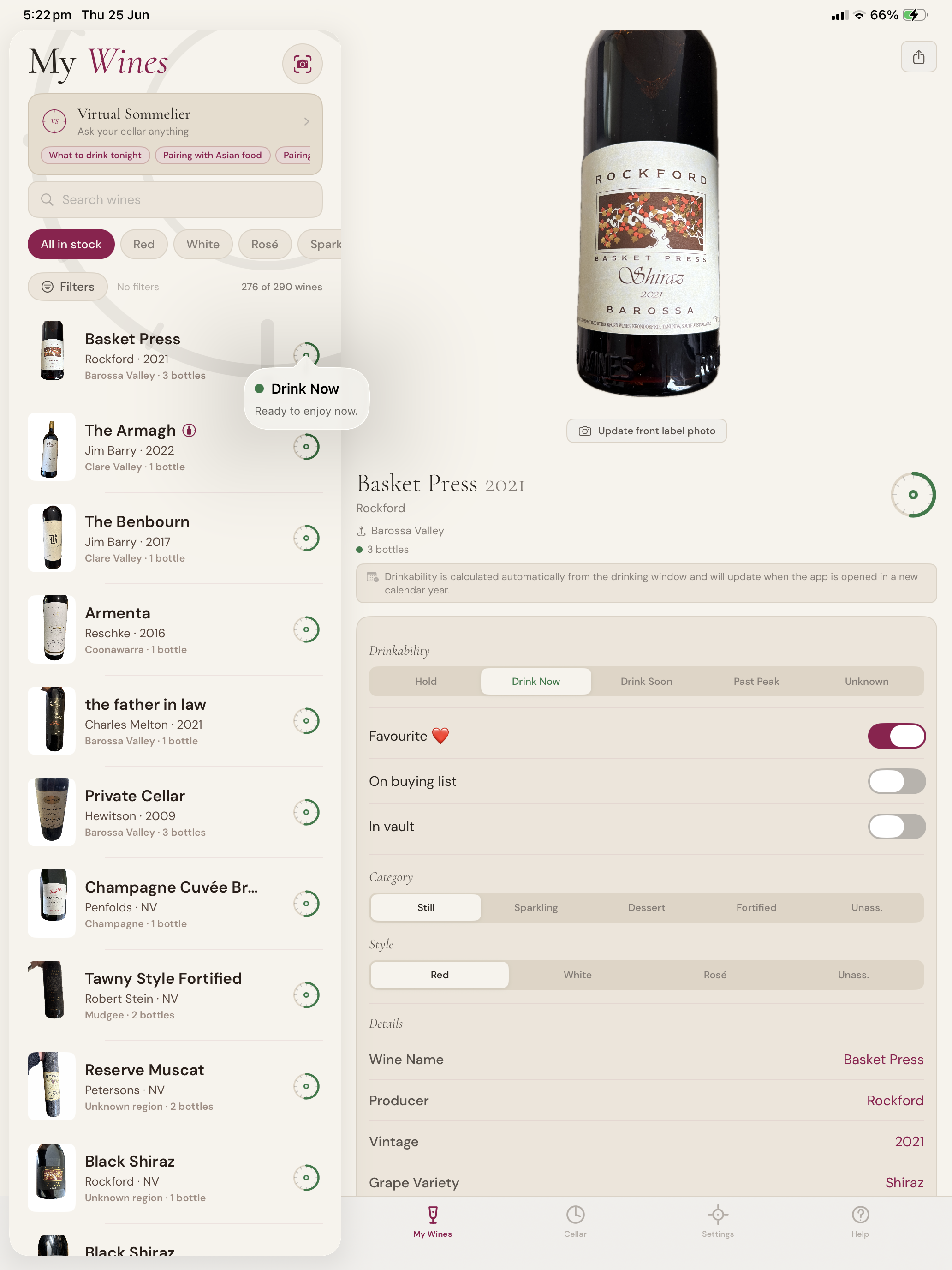
Nothing is saved until you say so. Adjust what the AI proposes; add the notes that matter to you; commit when it’s right.
Share
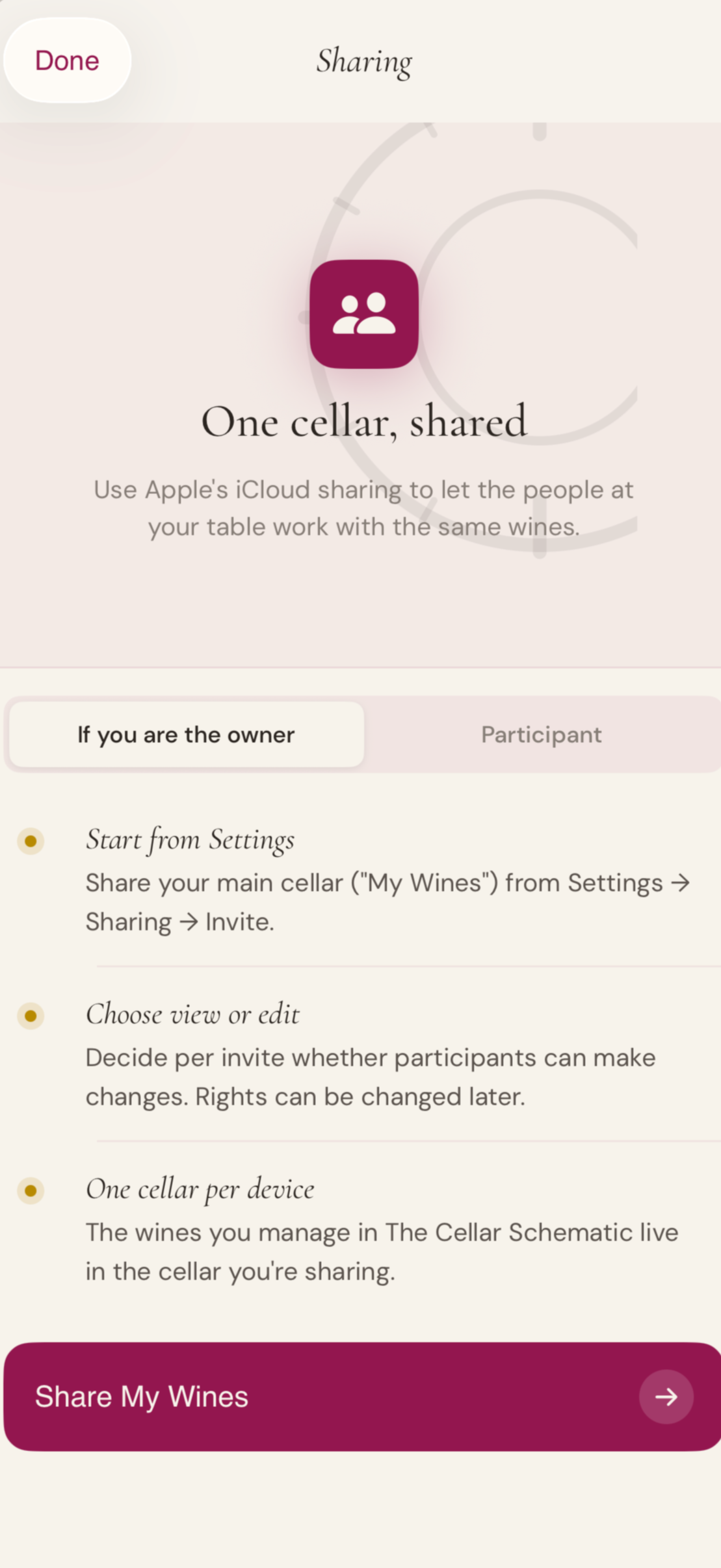
Invite a partner, a collaborator, a sommelier. Sharing is built in, with the controls you would expect.
No subscription · Your data stays in your iCloud · AI features are optional and use your own OpenAI account.
Your Virtual Sommelier
A second opinion, always at hand.
Match wines to a dish, a course, or an evening
Explore your cellar the way you explore a wine list
surface bottles you’d forgotten you owned
Reach for the right bottle, not the nearest one
Share the recommendations
“It’s one thing to own the wine. It is another to remember it at the right moment.”
The Virtual Sommelier knows what you have. Tell it what you’re cooking, the occasion, the company — it walks your own cellar and proposes the bottles that will pair best. Not a suggestion from a database. A suggestion from your own collection.
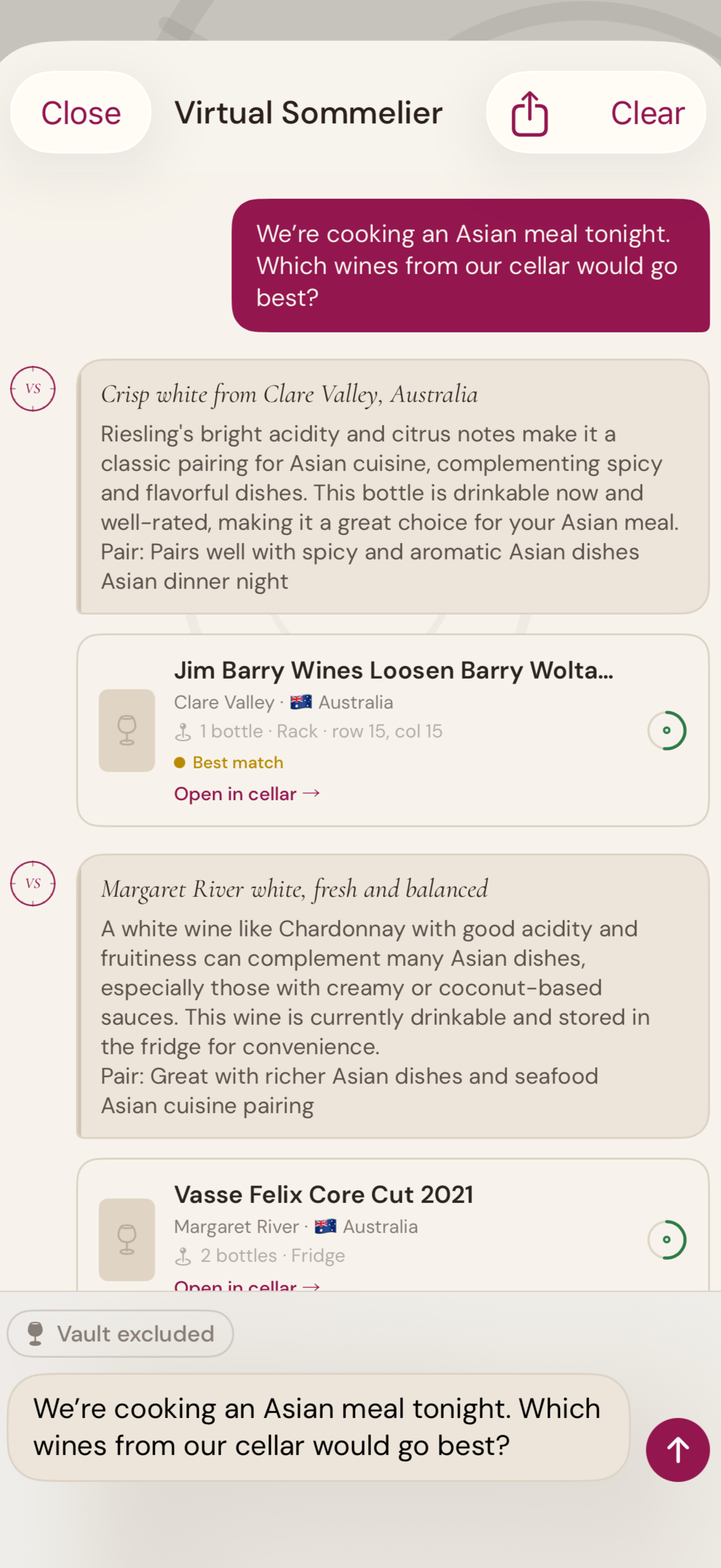
Know where to buy your wine
Find retailers near you, source your buying list in one sweep, and pick out an alternative when the bottle you came for is sold out — all from inside your cellar book.
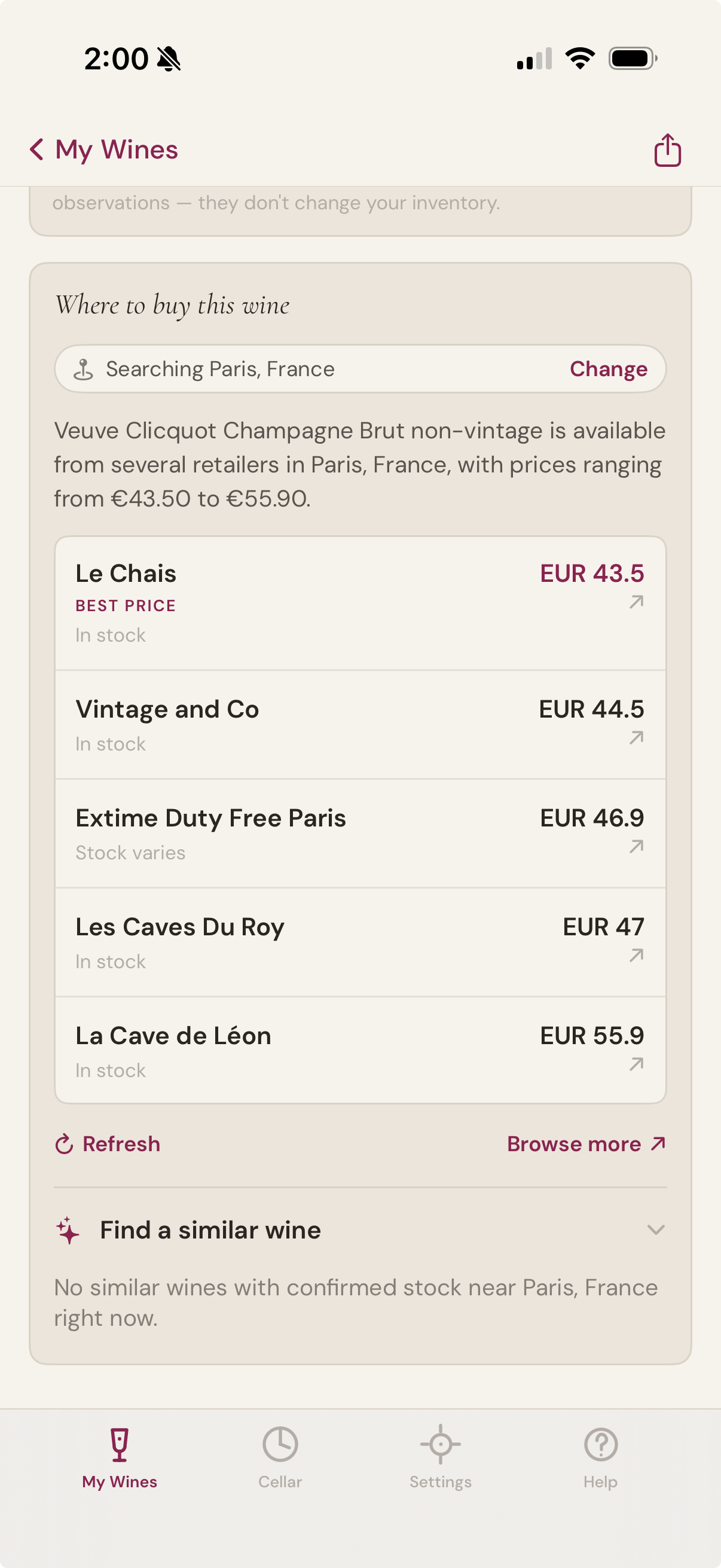
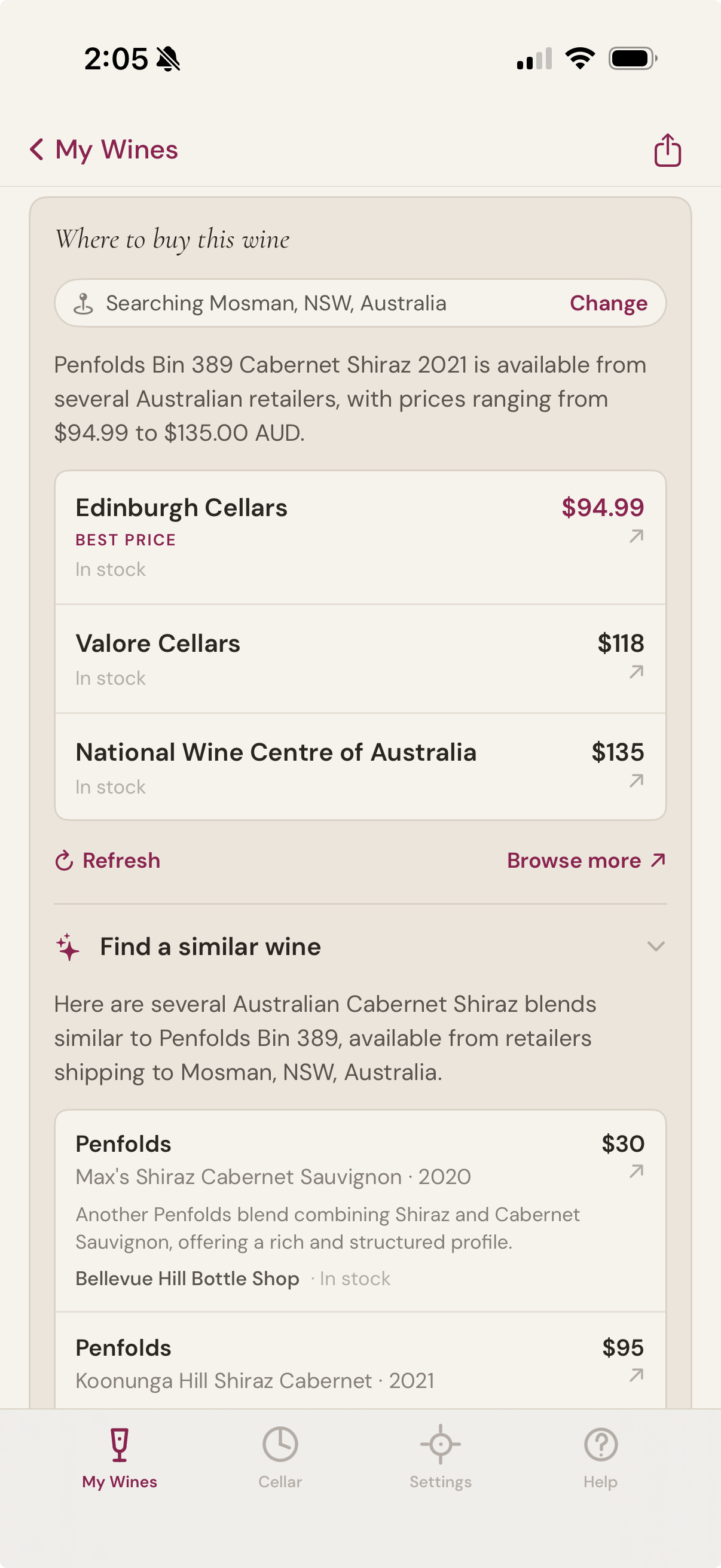
Where to buy this wine
Open any bottle in your cellar and ask where to buy more. The app finds current retailers near you, with live prices in your local currency, and calls out the best one. Tap a retailer to open their product page in an in-app browser — no Safari tabs piling up, no leaving the app.
If the wine isn't currently available locally, the panel may show alternative-vintage matches with the year clearly labelled — so you can see at a glance whether the 2021 you wanted has slipped into 2019 stock at one retailer, or whether you should look elsewhere entirely.
A similar wine when you need one
Sometimes the bottle you came for has sold out. Sometimes you want to explore something with a similar character. The similar-wine block suggests alternatives grounded in the wine you're looking at — same producer reputation, same region, same grape — and only surfaces ones with confirmed stock at retailers nearby.
Each suggestion comes with a one-line note explaining why it's similar, so you can tell at a glance whether it's the right substitute for tonight, or for the cellar.
The buying list
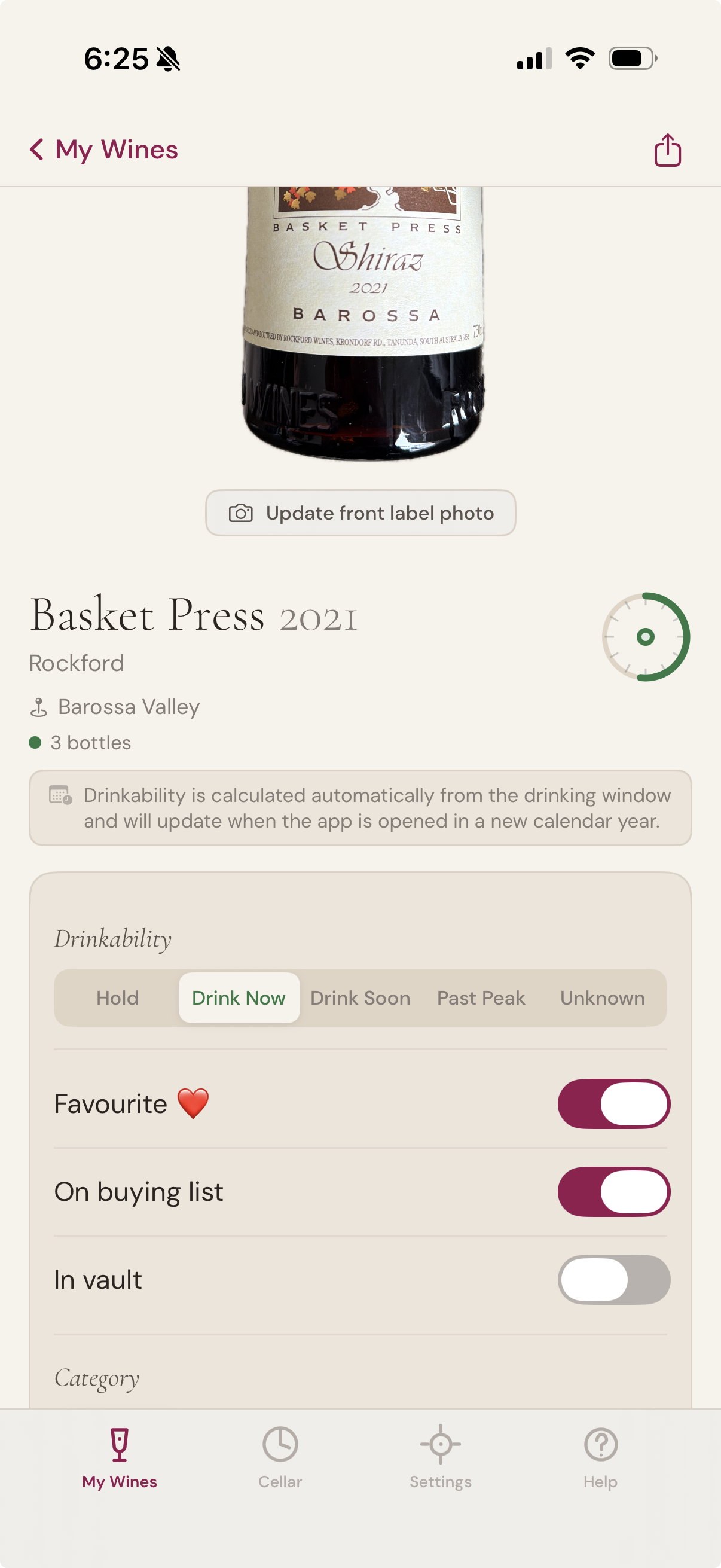
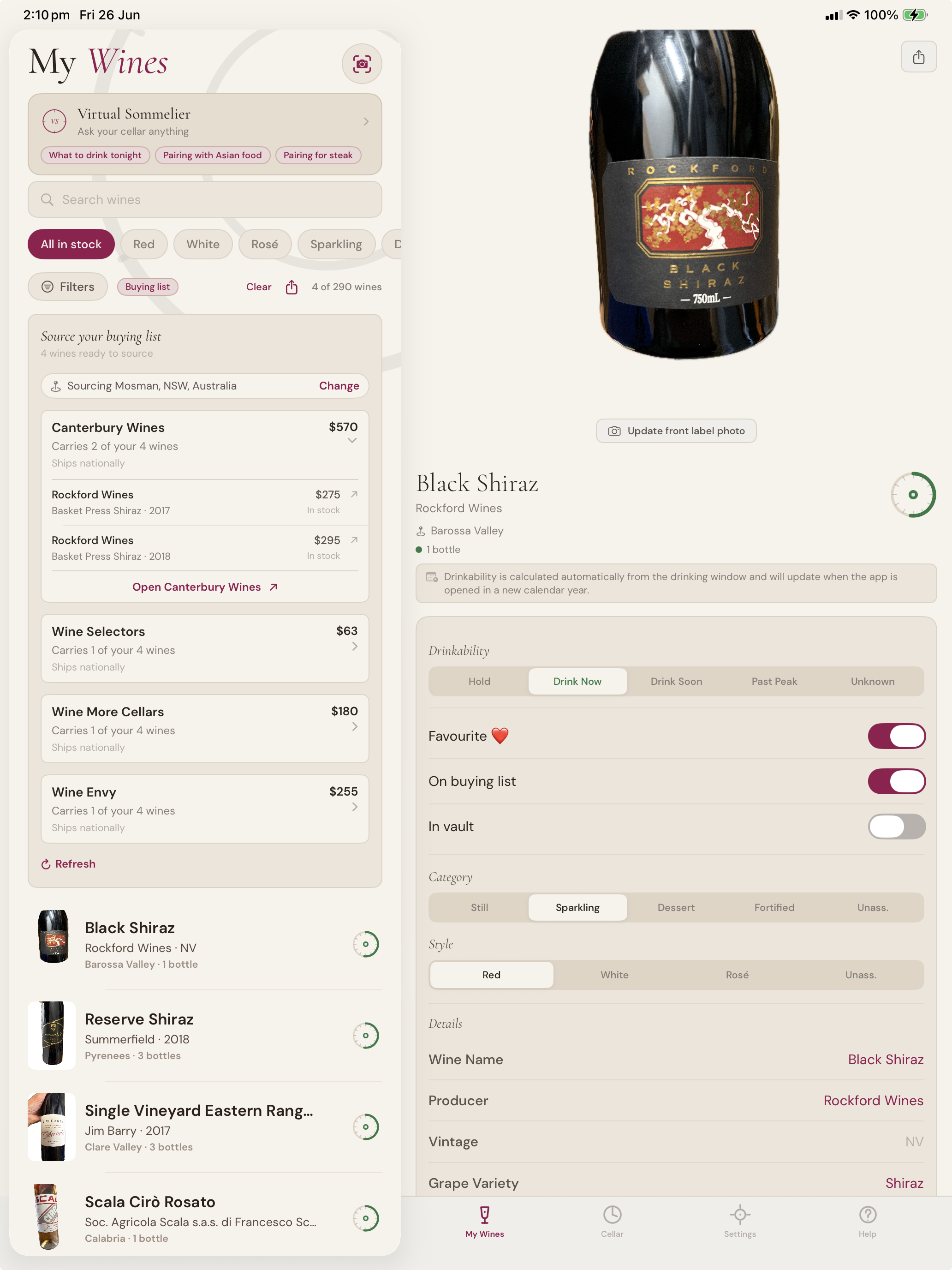
Flag any bottle you'd like to acquire. The Buying List is a simple toggle on the wine detail screen, alongside Favourite and In vault. Turn it on and the wine appears in a dedicated filter on My Wines, ready to be sourced when you're shopping.
The flag is about intent, not inventory. Wines on your buying list don't have to be in stock — most of them won't be. A wine can sit there for months while you watch for a vintage release; it can come on and off the list as your priorities shift.
From one bottle to the whole list
Source many wines from one or two retailers, in your local currency, with the optional AI you bring yourself.
Sourcing the list
When you've got a buying list going, the app can find one or two retailers near you that carry as many of the wines as possible — so you make one order or one trip instead of six.
Each retailer expands to show which of your wines they have, in what quantity, and at what price. Tap any wine to open the retailer's product page for that specific bottle. The app ranks retailers by how many of your wines they carry with stock, so the most efficient sourcing path is always at the top.
Eighteen currencies, your local market
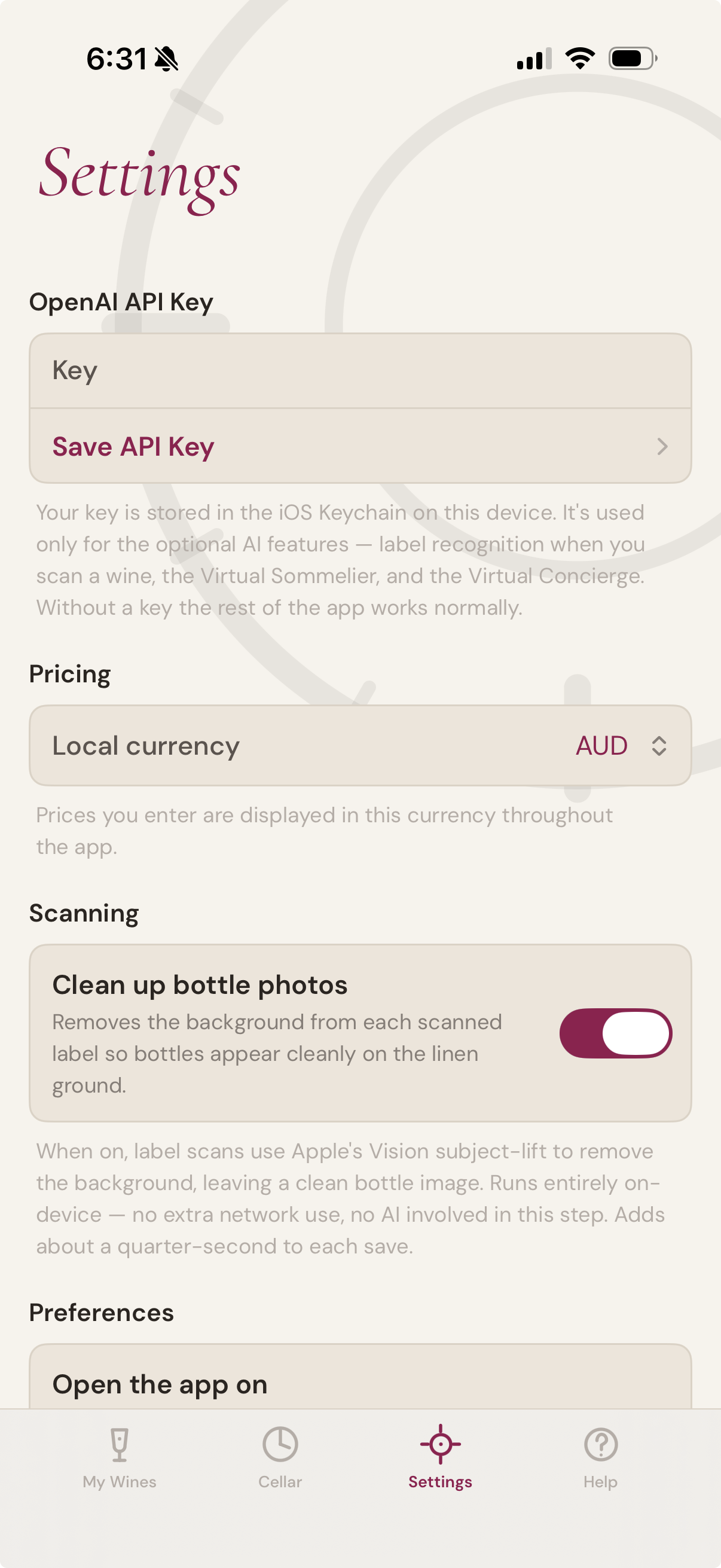
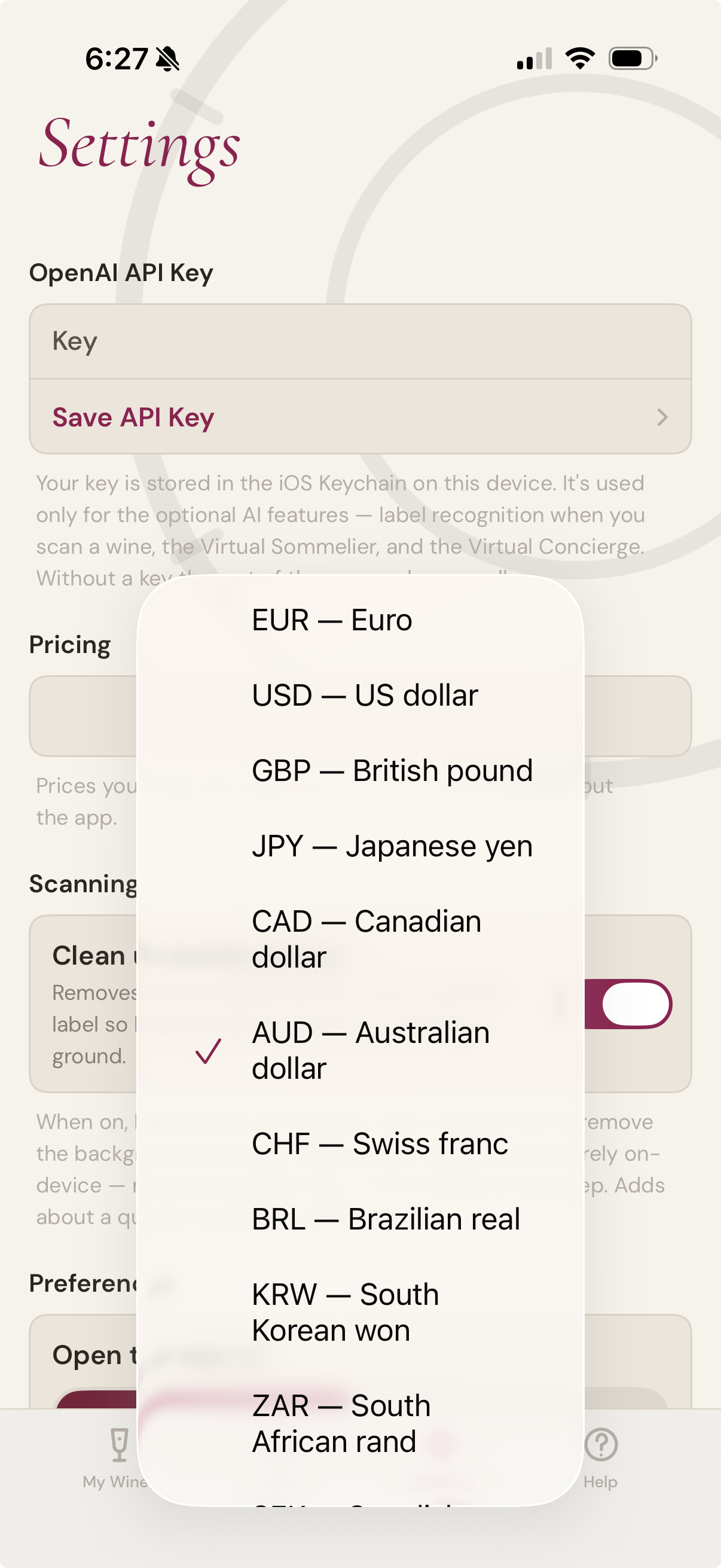
Wine has a country. So does its price. The buying features speak EUR, USD, GBP, JPY, CAD, AUD, CHF, BRL, KRW, ZAR, SEK, INR, MXN, DKK, HKD, SGD, NZD, and NOK — and use your iOS region to pick a sensible default the first time you open the app. Prices from retailers quoting other currencies are discarded rather than converted, so what you see is what a retailer in your market would actually charge
Optional AI
The buying features are AI-assisted. Connect your own OpenAI account in Settings to enable them. The rest of the app — cellar management, drinking windows, the Schematic, sharing, search, filters, and imports — works without an AI connection.
The view
Inventory, and a portrait of the whole

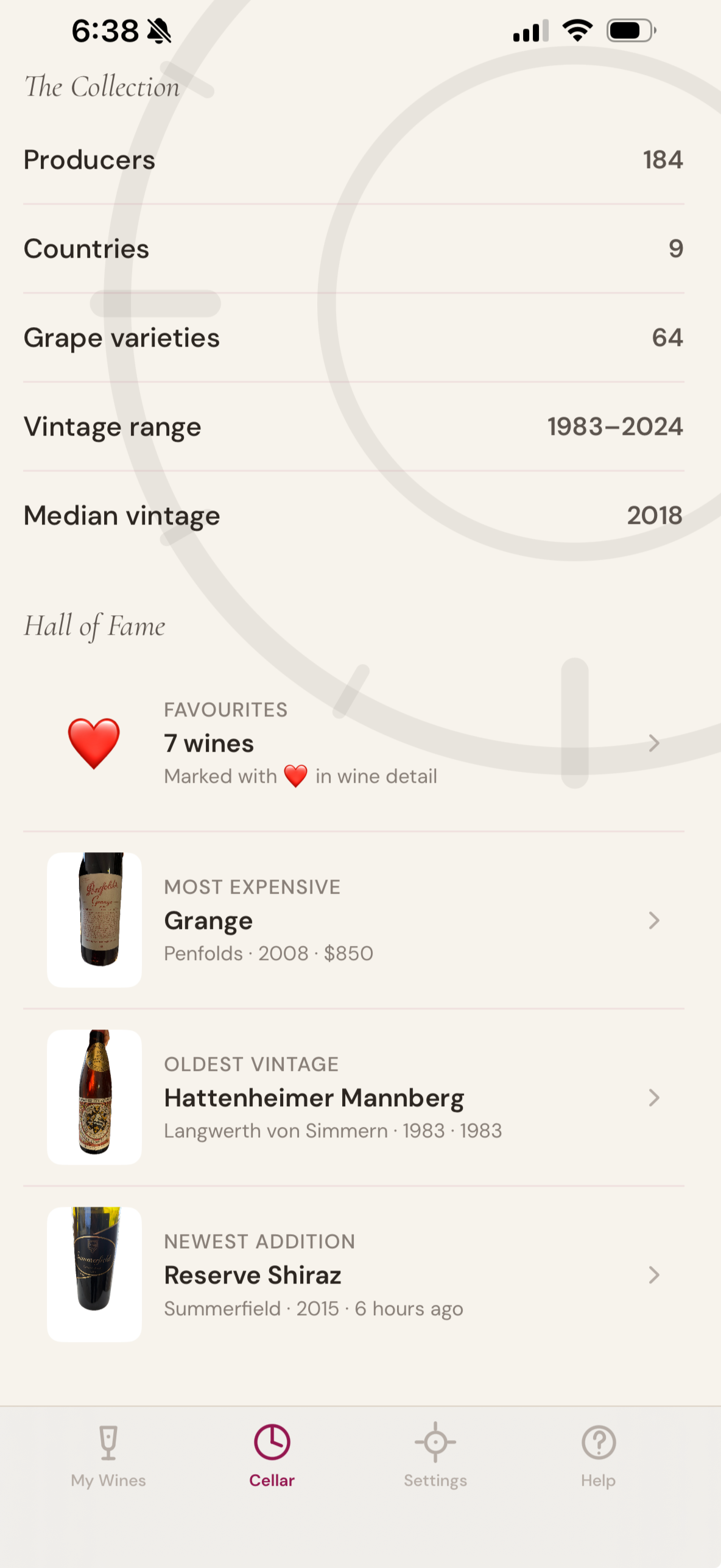
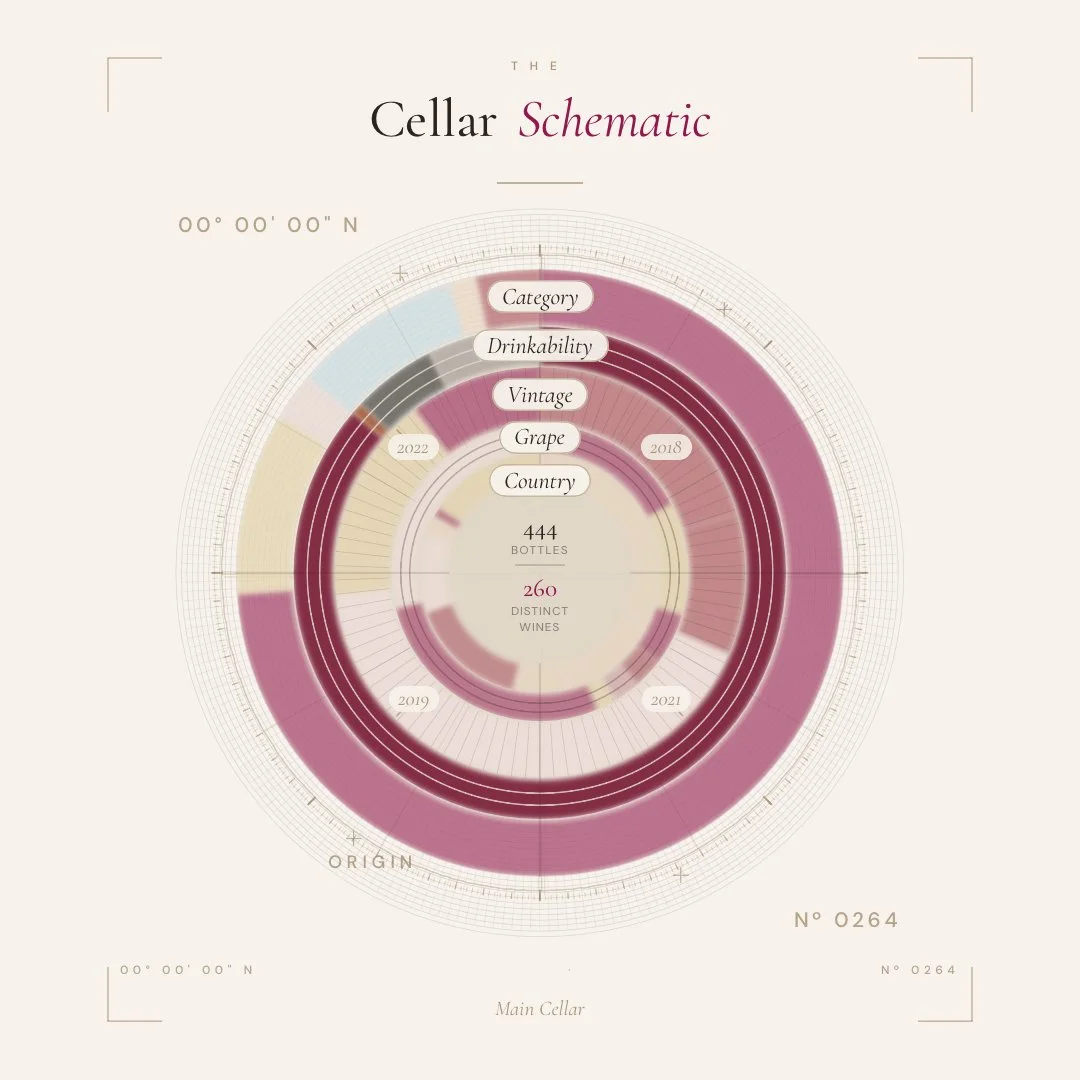
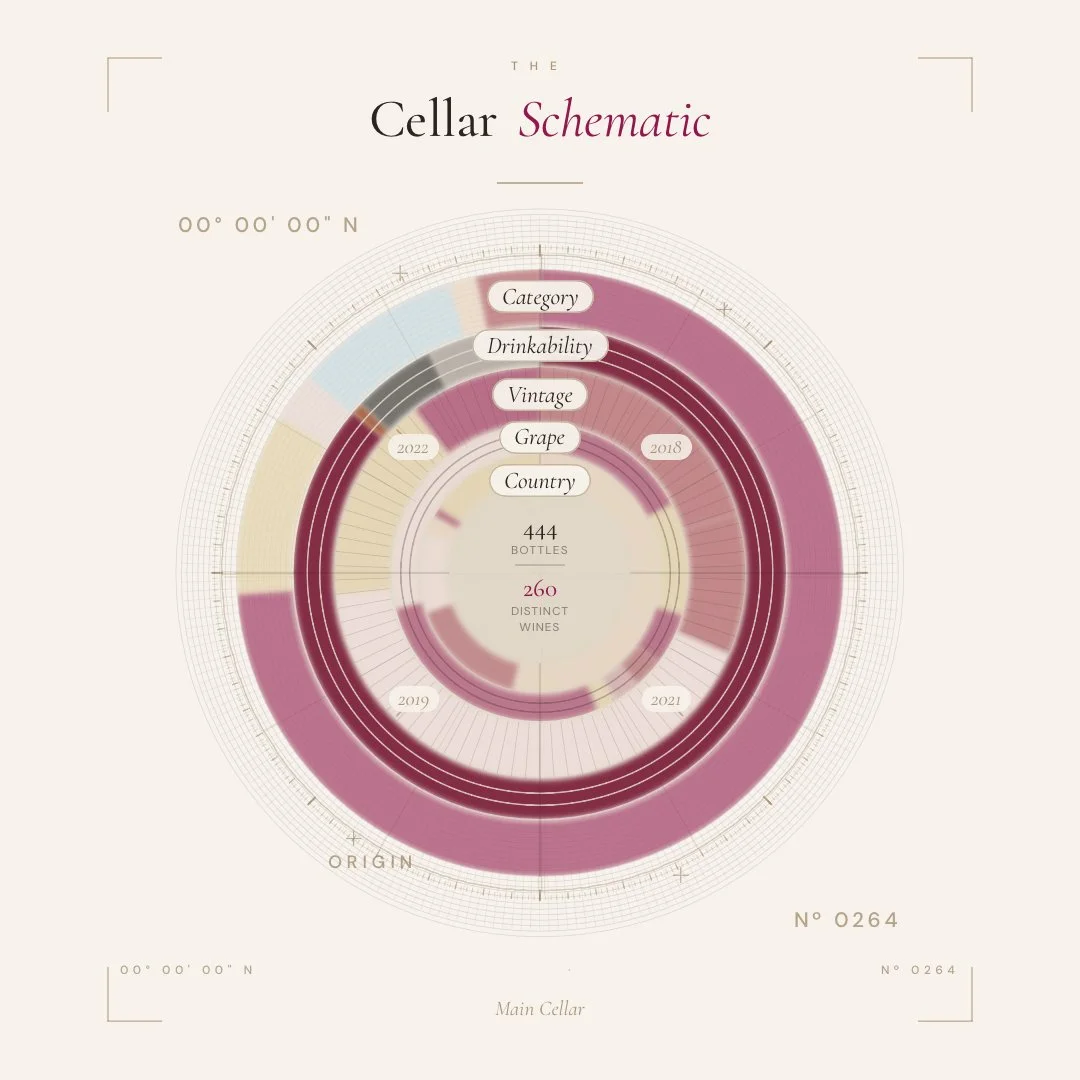
A serious cellar deserves more than a list. The Cellar Schematic gives you both — a precise working inventory, and a single, considered drawing of the entire collection.
Your cellar, drawn
The signature view. A Renaissance technical drawing of your entire collection — construction circle, cardinal axis, compass-tick ring, distinct wines and total bottles named at the centre.
Beautiful enough to share. Honest enough to plan from.
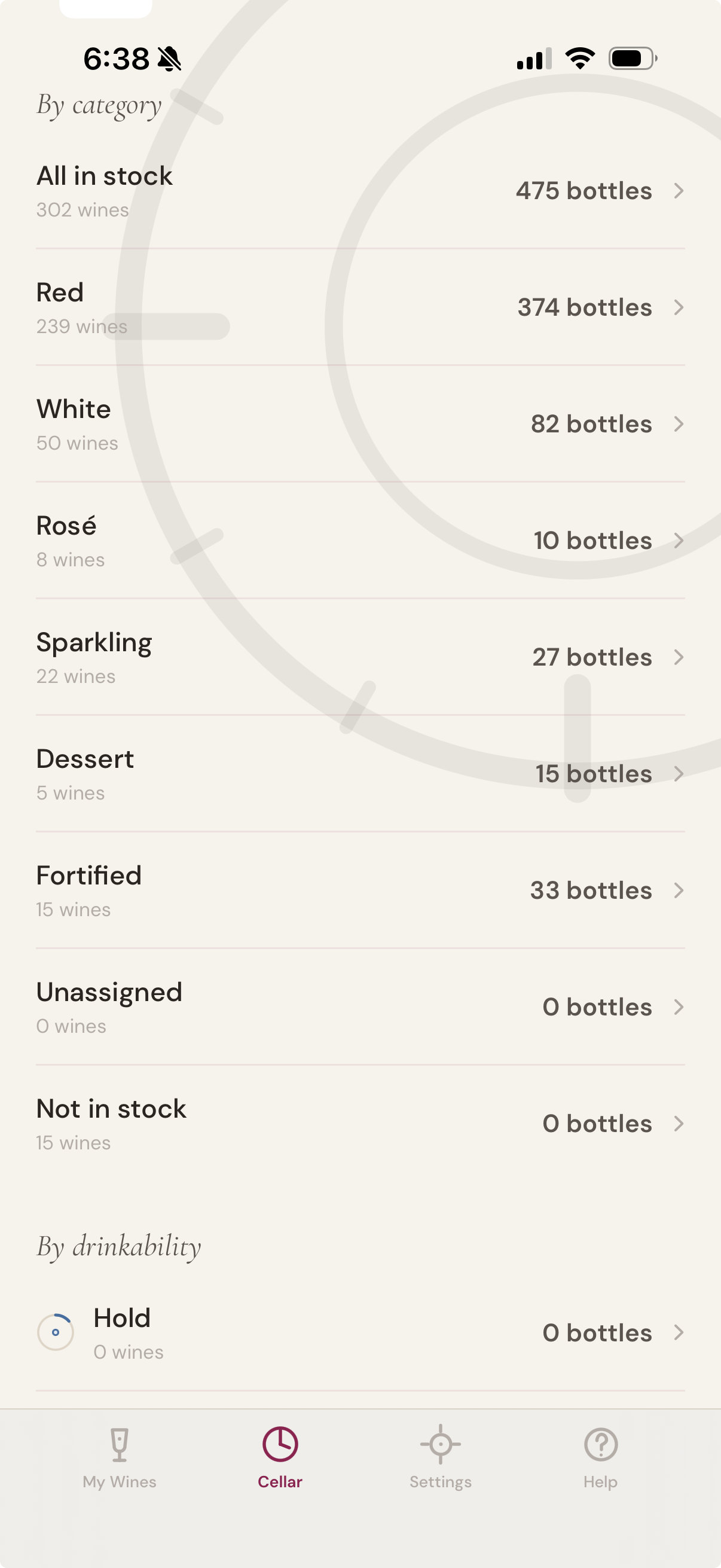
The list refined.
Filter by region, vintage, producer, drink window, location. See what’s ready, what’s holding, what’s slipping past peak. Sort with one tap; act on what you see.
Drawn to plan
See where every bottle lives
Tap the bottle
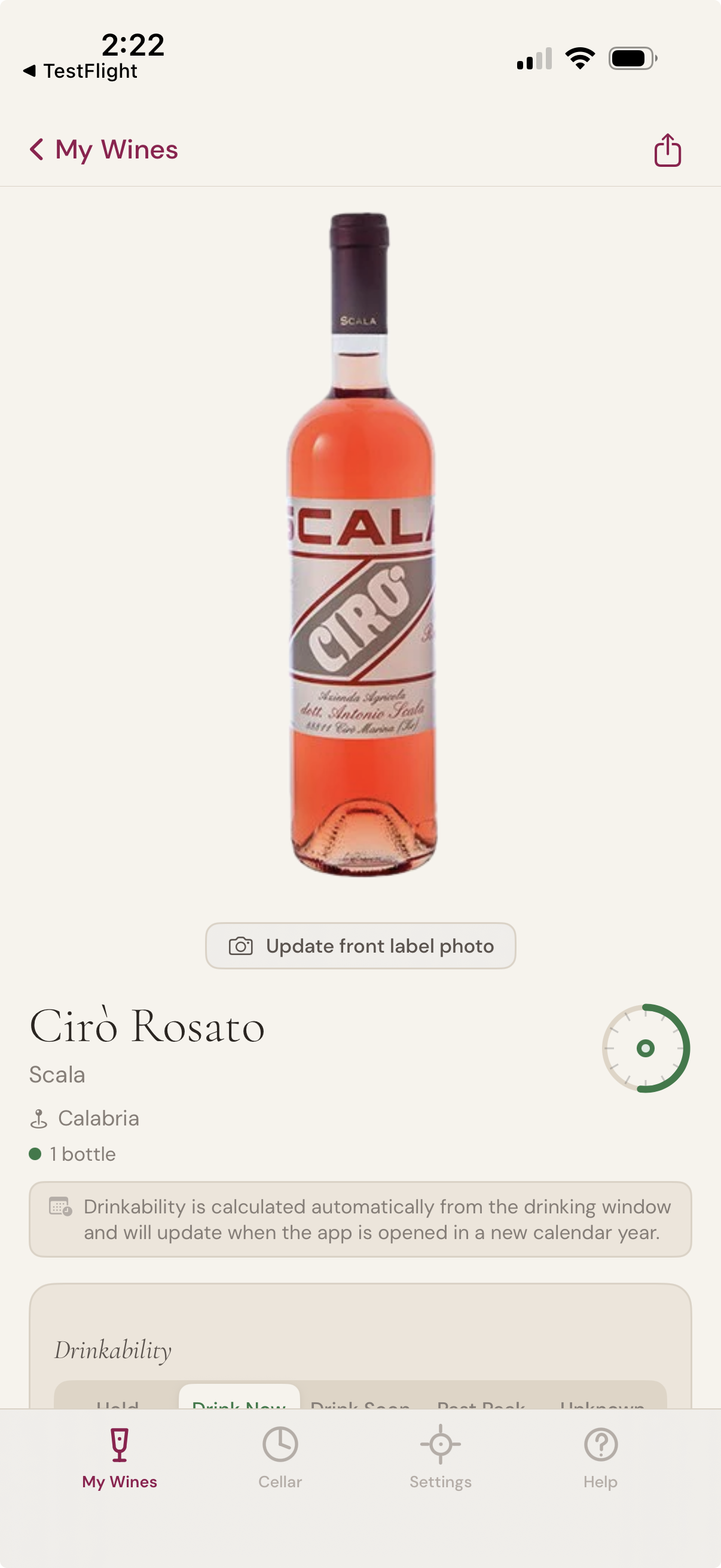
See it
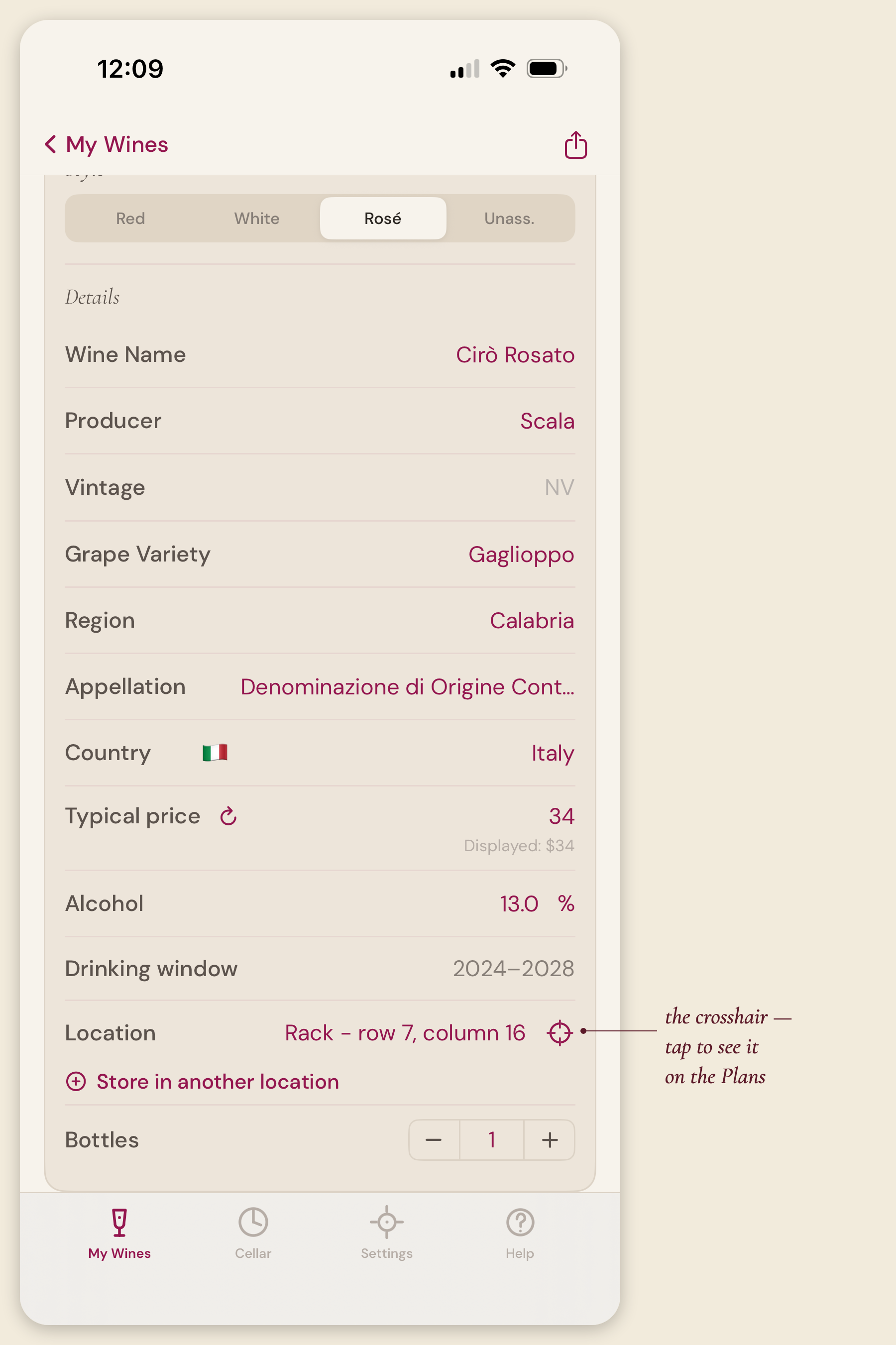
Or go from wine to cellar
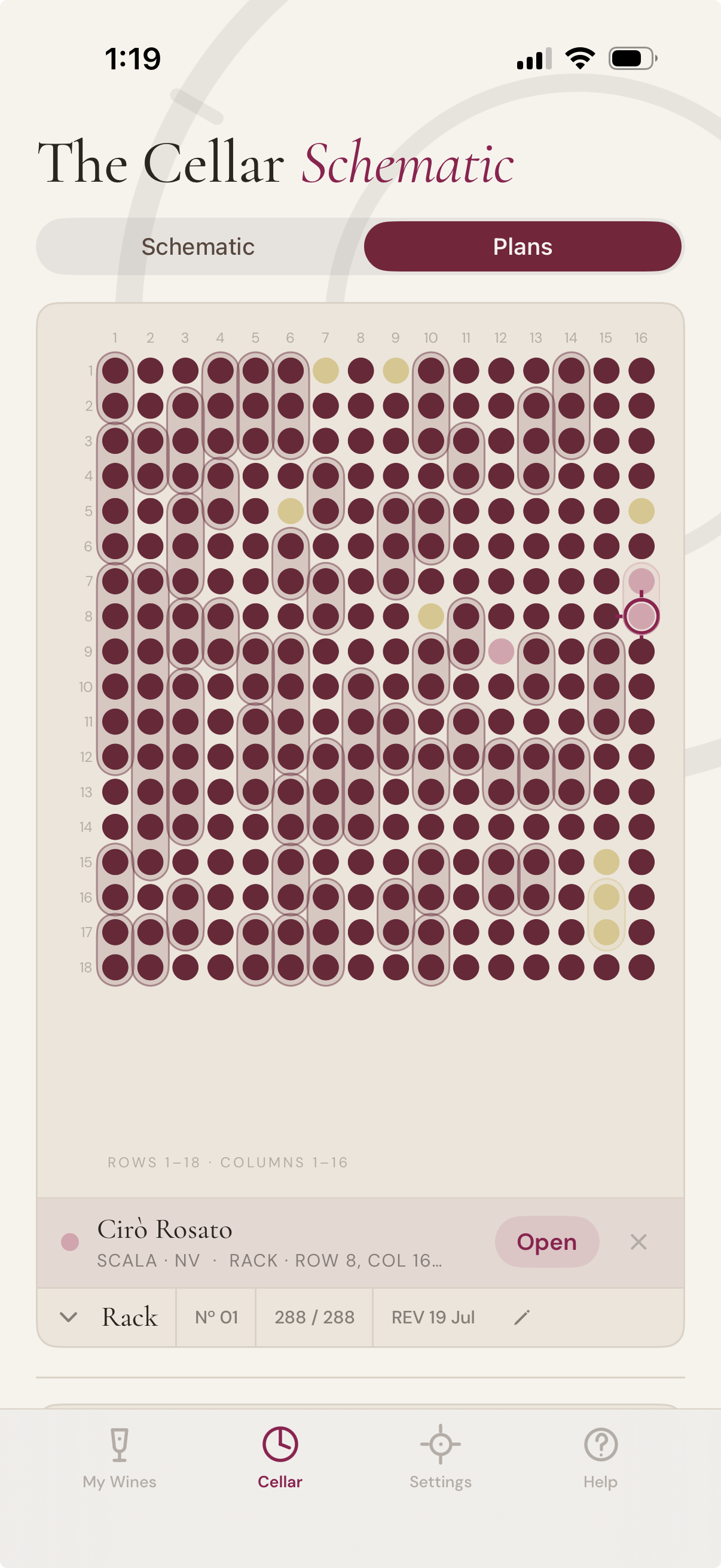
Your cellar, located. A drafting sheet for every rack, fridge, and bin — honest to the bottle.
The Cellar tab's second view — the Plans — shows not what you hold but where it lies. Every storage area drawn as a sheet: racks and fridges as grids, bins as numbered compartments, far storage as a tidy manifest — a circle for every bottle, exactly where it sits.
Build your storage up front, or let it appear as you add wines. Use the locations provided, or name places of your own — lay out rows and columns, and drag your most-used storage to the top. Your layout follows you across iPhone and iPad.
Tap any circle on a drawing to see which wine it is — or go the other way: tap the crosshair beside any wine and the Plans open with its exact spot marked. Runs of the same wine read as one holding. Fill an empty rack slot by tapping it — scan or type the wine straight into place.
No account, no AI required. Like everything else, your Plans live in your own iCloud.
In motion
A minute with the app
A short walk through scanning a label, asking the Virtual Sommelier for a pairing, and arriving at the Cellar Schematic. No narration to wade through.
Your cellar, your cloud, your call
Plain about price. Plainer about your data.
One purchase, no surprises.
The Cellar Schematic is a single, one-time purchase on the App Store — US$14.99, with local pricing set by Apple in your country. About the price of one decent bottle, for the app that looks after all of them. No subscription. No premium tier. No upsell. No tracking. No analytics. No data resold.
On iPhone and iPad, your wines, notes, photographs, and shared cellars live in your own iCloud account — Apple's, not ours. They sync across your Apple devices the way Apple intended: no account to create, and no server of ours in between. And wherever you run the app, we don't run a server that holds your collection — so we can't sell, mine, or analyse what we can't see.
You have the option to use AI for label recognition, the Virtual Sommelier, and the Virtual Concierge. Rather than build that into the app, we ask you to connect your own OpenAI account in Settings — your usage stays between you and OpenAI, and we never see it.
No subscription · iCloud-native · Bring your own key
Open your cellar
Available on iPhone and iPad.
Coming to Google Play — one cellar book, both platforms.
US$14.99, charged in your local currency.
A one-time purchase. No app subscription. Optional AI features connect to your own OpenAI account.
Google Play and the Google Play logo are trademarks of Google LLC.


The Cellar Schematic™
Last updated: 10 August 2026
The Cellar Schematic is a personal wine cellar app, designed and operated as an independent product. This policy explains what data the app handles, where it lives, and what we do — and do not — see. It covers both the iPhone and iPad app and the Android app; where the two differ, the difference is stated.
The short version: we don't collect, store, or analyse your personal information. Your cellar stays in your own hands — in your iCloud account on Apple devices, and on the device itself on Android. The optional AI features call OpenAI directly using a key you supply. We have no servers handling your wines, your photos, your notes, your usage, or anything else about you.
Information we don't collect
We do not collect, store, or transmit:
Your name, email address, billing details, or any account information
Your location, device identifiers, advertising identifiers, or any analytics
Your wines, photos, tasting notes, ratings, prices, or sharing activity
Your buying activity — what wines you search for, which retailers you tap, which products you click through to, or which wines you flag on your buying list
Any usage data, crash reports, telemetry, or behavioural information
The app contains no third-party analytics, tracking, or advertising SDKs on either platform. Your purchase of the app is handled entirely by Apple or by Google, under their own terms.
Where your cellar data lives
On iPhone and iPad. All of your cellar data — wines, tasting notes, photos, drinking windows, storage locations, vault entries, buying list flags and any shared-cellar participants — is stored in your own iCloud account using Apple's CloudKit framework. It syncs between your Apple devices through Apple's iCloud infrastructure. iCloud sync is governed by .
On Android. All of your cellar data is stored in a private database on the device itself. There is no cloud sync: the Android app does not copy your cellar to any service of ours, and cellars do not sync between your Android devices.
Because the app permits Android's standard system backup, Android may include the app's data in the automatic backup it makes to your own Google Drive, if you have that turned on for your device. That backup belongs to your Google account, is governed by licy, and is not visible to us. You can turn it off in your device's Settings, under System → Backup. If you have it off, your cellar exists only on the device, and uninstalling the app removes it.
On both platforms we have no servers that hold your cellar. We cannot see your wines, your notes, your photos, your buying activity, or who you share with.
Backups you make yourself
The app can export a full backup of your cellar — including label photos — as a file. That file is written wherever you choose to save it, and from that point it is yours to manage: anything you do with it, such as putting it in a cloud drive or sending it to yourself, is outside the app and outside this policy. The export never passes through us.
The AI features and OpenAI
Several features in the app use AI from OpenAI: label scanning, completing a typed-in wine's details, finding a wine's label image online, the Virtual Sommelier, the Virtual Concierge, the where-to-buy panel, similar-wine suggestions, and buying-list sourcing.
These features require you to supply your own OpenAI API key. On iPhone and iPad the key is stored in the iOS Keychain on the device where you entered it. On Android it is stored on that device encrypted with an AES-256-GCM key held in the Android Keystore, hardware-backed where the device supports it. On neither platform is the key transmitted to us, and on neither is it synced to your other devices.
When you use one of these features, your request — the label image, your Sommelier question, or your Concierge question — is sent directly from your device to OpenAI for processing. The response comes back to your device.
For the three buying features, each request sent to OpenAI includes the wine's identity (producer, name, vintage), your chosen currency, and a city name derived from your current location at the moment of the request. The city is used for that query and not stored. We do not see the request, the city, or the response.
When you complete a typed-in wine's details or find its label image online, the wine's identity you entered (producer, name, vintage) is sent to OpenAI — to look up the details, or to locate pages showing the label. No location is involved in either case.
We are not in that loop. We do not see your requests or responses. Your data is handled by OpenAI under , and you are OpenAI's customer for billing purposes.
If you do not add an OpenAI key, none of these features run and nothing leaves your device.
Finding a label image online
When you use "Find label online," OpenAI's web search returns links to pages that show the wine. Your device then requests those pages, and the label image on them, directly from the third-party websites — the same kind of request a web browser makes when you visit a site. Those sites see an ordinary web request (such as your IP address and browser identifier); we don't add tracking, and we never receive the page or the image. The image is shown to you for approval and, only if you accept it, saved with your cellar. You are responsible for ensuring you have the right to use any image you add.
Permissions the app requests
Camera — when you tap Scan to photograph a wine label.
Photos — only if you choose to use an existing photo instead of the camera. On Android the app uses the system photo picker, which needs no permission and gives the app only the single image you pick; it never has access to your photo library. On iPhone and iPad the app asks for photo library access for the same purpose.
Location (while using the app) — used in two places:
When you log a tasting note or a pour entry on a wine, the app turns your current position into a readable place name so you can later remember where you opened a bottle. On Android this uses the approximate-location permission and records a place name at city level (for example "Neutral Bay, New South Wales, Australia"). On iPhone and iPad the place name may be more precise, down to a street address.
When you use a buying feature (where-to-buy, similar-wine, or buying-list sourcing), the app converts your position into a city name (for example "Sydney") that is sent to OpenAI for that query only.
Neither usage stores raw coordinates. The place name from the first path is stored as text on that entry only, and you can edit or delete it at any time. The city name from the second is used per query and not retained. The app does not track your location in the background.
You can grant or revoke any of these at any time — on iPhone and iPad in Settings → The Cellar Schematic, and on Android in Settings → Apps → Cellar Schematic → Permissions.
Cellar sharing
Cellar sharing is a feature of the iPhone and iPad app. When you share a cellar with another person via iCloud, that sharing happens through Apple's CloudKit Sharing. Apple manages the share invitation and the participant access. We do not see the share, the participants, or the cellar contents. Each shared participant uses their own OpenAI API key for AI features — keys are not shared.
The Android app does not currently offer cellar sharing.
Vivino and CellarTracker imports
If you import wines from Vivino or CellarTracker, the import reads a CSV file that you export and place on your own device. The app processes that file locally; nothing is sent to Vivino, CellarTracker, or any other service. We are not affiliated with either company.
Retailers and the buying features
The buying features show you current retailers via OpenAI's web-search results. We do not have affiliate relationships, referral arrangements, or revenue-share agreements with any retailer. We do not receive a commission, a referral fee, or any other payment when you tap a retailer link or when you purchase a wine you found through the app. The retailer's product page opens in an in-app browser using only the URL OpenAI returned — we do not add tracking parameters, referral codes, or analytics tags to the link. What the retailer sees is whatever they would see from any ordinary web visit.
The price you see in the buying-features panel is the retailer's listed price as found by OpenAI's web search. We don't mark it up, mark it down, or filter retailers based on any business relationship. Rankings are by stock availability and price only.
Children's privacy
The Cellar Schematic is intended for adults. The app does not knowingly handle data from anyone under the age legally permitted to consume alcohol in their jurisdiction. The app is rated for adults on both the App Store and Google Play, in line with this.
Changes to this policy
If we make material changes to this policy, the updated version will appear here with a new date. If you continue using the app after the new version is posted, you are agreeing to the updated terms. If you don't agree, you can stop using the app — your cellar data stays where it has always been, in your own iCloud account or on your own device, and is yours to keep regardless.
Contact
For privacy questions or anything else, write to contact@thecellarschematic.com. For help with the app, support@thecellarschematic.com. Both inboxes are read by a real person.